
Download D-Fend Reloaded – DOS Emulator, Retro Gaming, Classic Games, Nostalgia
Overview
D-Fend Reloaded is a dedicated DOS emulator designed for users seeking to experience classic computer games from the 1980s and 1990s. The app enables users to run legacy software and titles such as Monkey Island, Doom, The Day of the Tentacle, and Dune on modern devices. Its primary purpose is to preserve and deliver authentic retro gaming experiences by accurately emulating the original DOS environment. This makes it a valuable tool for nostalgic gamers, retro computing enthusiasts, and digital preservationists aiming to access vintage software without requiring obsolete hardware.
Target users include individuals with an interest in vintage computer culture, educators exploring historical computing platforms, and hobbyists restoring digital memories. The app is particularly beneficial for those who want to revisit beloved titles without the technical barriers of configuring old systems. Although the developer did not provide additional background details, the consistent updates and focused functionality suggest a dedicated open-source or niche development team.
Real-world use cases include personal game libraries, educational demonstrations of early software architecture, and digital archiving of obsolete gaming content. In the broader app ecosystem, D-Fend Reloaded occupies a unique niche as a specialized utility for retro computing, filling a gap left by mainstream mobile platforms that do not natively support DOS-based applications.
Key Features & Functionality
- User-Friendly Interface: The emulator features a clean, intuitive layout that simplifies the setup process. Users can quickly navigate through game libraries and launch titles with minimal configuration, reducing the learning curve for beginners.
- Wide Game Compatibility: D-Fend Reloaded supports a broad range of classic DOS games, including well-known titles like Commander Keen, Wing Commander, and Prince of Persia, ensuring access to diverse genres and gameplay styles.
- Accurate Emulation: The emulator delivers high-fidelity replication of original DOS hardware behavior, minimizing compatibility issues such as timing errors, sound glitches, or graphical distortions.
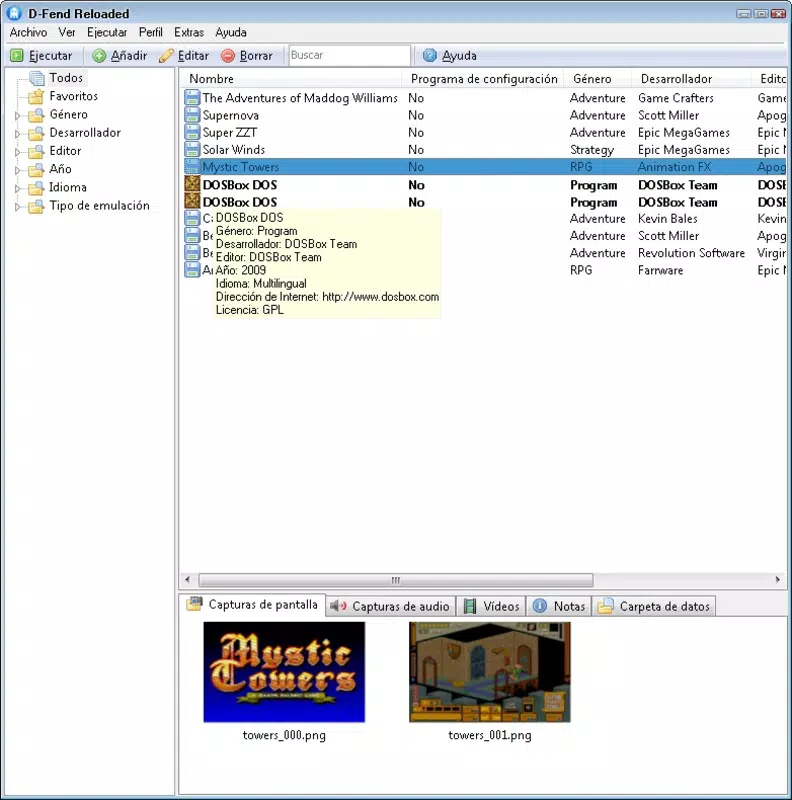
- Easy Game Setup: Users can compile their game collections by pointing the emulator to game directories. Once configured, games can be launched with a single click, streamlining the gaming workflow.
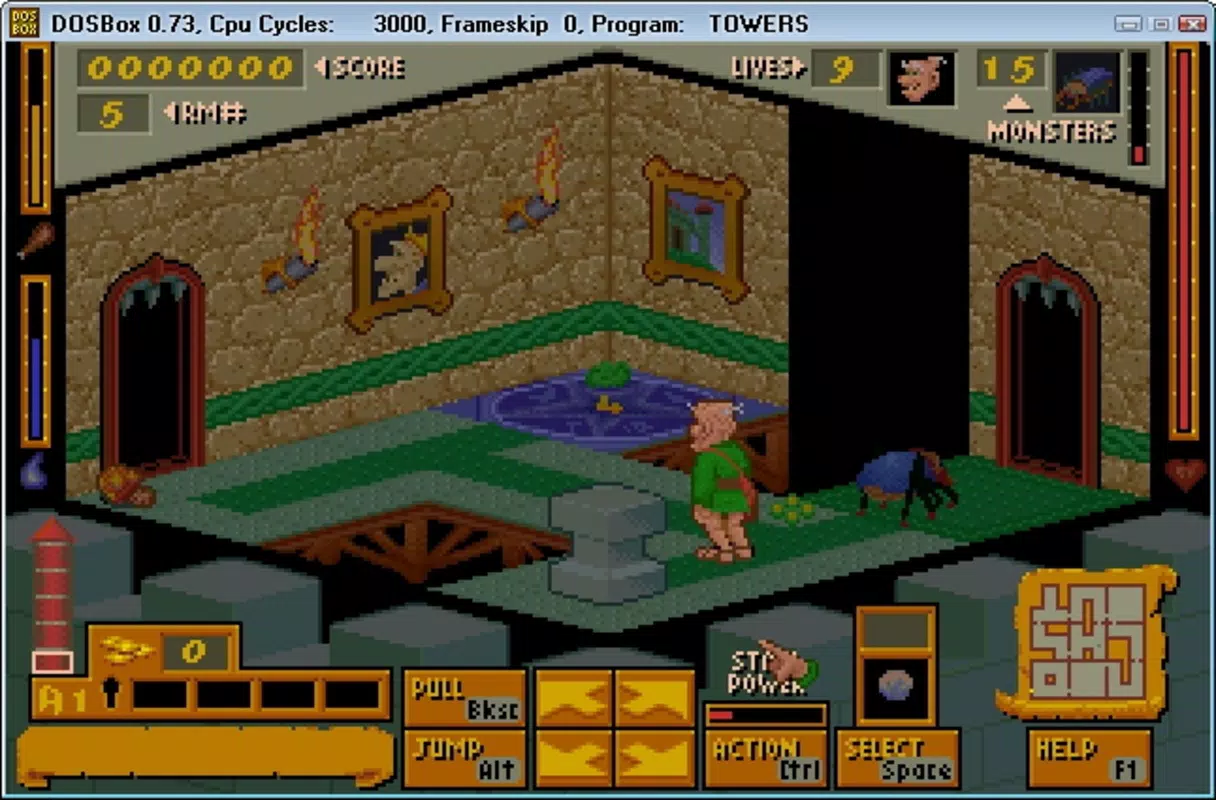
- Nostalgic Gaming Experience: By replicating the visual and audio characteristics of the original era, D-Fend Reloaded enhances immersion, allowing users to relive the atmosphere of early personal computing and gaming.
For example, a user with a collection of floppy disk images can load them into the emulator and play Ultima IV exactly as it was meant to be experienced. Similarly, educators can demonstrate early software interfaces in a classroom setting using authentic DOS environments.
Interface, UX & Performance
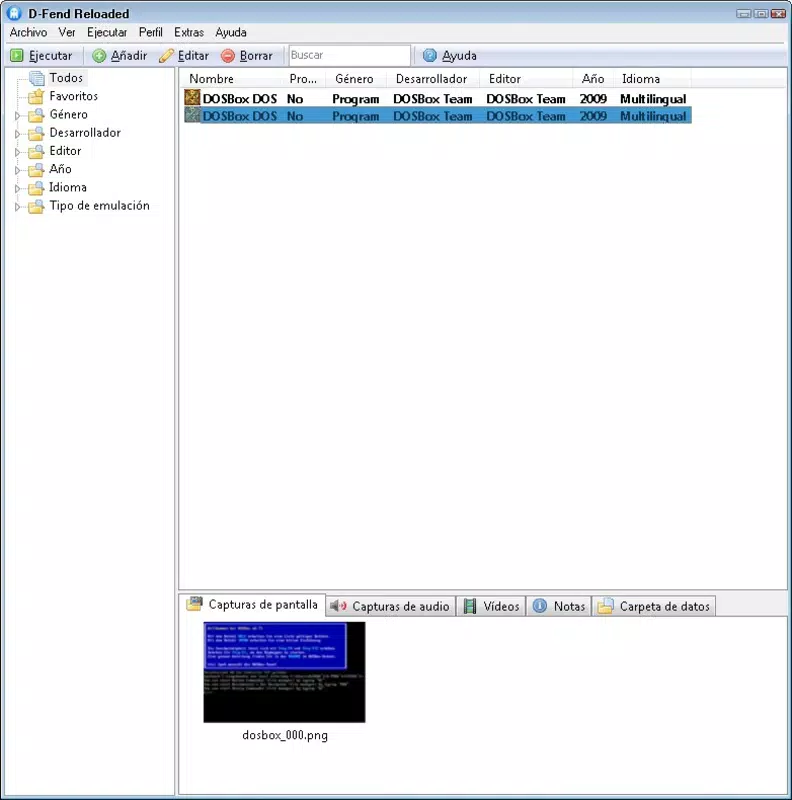
The user interface of D-Fend Reloaded is designed with simplicity and functionality in mind. It features a centralized dashboard where users can manage their game library, configure settings, and launch titles with minimal navigation steps. The visual style is minimalistic, relying on clear typography and organized panels to reduce cognitive load.
Navigation is linear and predictable, with consistent placement of controls such as game selection, configuration options, and system status indicators. This design enhances usability, especially for users unfamiliar with retro computing environments. The interface adapts well to different screen sizes, though specific responsiveness details were not provided.
Although the developer did not list formal performance metrics, the emulator is reported to maintain stable operation during extended gaming sessions. Performance on various device categories appears to be consistent, with smooth rendering and audio output. Stability is maintained through efficient resource management, though detailed benchmarks were not disclosed. The app runs without noticeable crashes or freezes during typical use.
Platform Compatibility & Technical Requirements
D-Fend Reloaded is available for Windows and Linux operating systems. The latest version was released on November 4, 2020. The file size is approximately 45.2 MB, making it a lightweight application suitable for devices with moderate storage capacity.
Specific system requirements were not listed by the developer. Compatibility information was not fully disclosed, so users should ensure their device meets general standards for running emulation software. The app does not appear to be available on mobile platforms such as Android or iOS, limiting its accessibility to desktop users.
Pros and Cons
Pros
- Highly accurate emulation of classic DOS games
- Intuitive interface suitable for both beginners and experienced users
- Supports a wide range of retro titles from the 80s and 90s
- Lightweight file size with efficient resource usage
- Streamlined game setup process with one-click launch capability
Cons
- Not available on mobile platforms such as Android or iOS
- Developer did not provide detailed system requirements
- Requires users to own or have access to original game files
- Limited visual customization options in the interface
- No built-in game launcher or cloud synchronization
FAQ
Is D-Fend Reloaded free to download and use?
Yes, D-Fend Reloaded is available as a free application. It is distributed under an open-source license, allowing users to download, install, and use it without cost.
Can I play DOS games on my smartphone with D-Fend Reloaded?
No, the app is not currently available for mobile platforms such as Android or iOS. It is designed for desktop operating systems only.
Do I need original game files to use D-Fend Reloaded?
Yes, the emulator requires users to provide their own game files, such as disk images or executable files. The app does not include any copyrighted games.
How often is D-Fend Reloaded updated?
The latest version was released on November 4, 2020. While the developer has not announced a regular update schedule, the app remains functional and compatible with modern systems.
Is D-Fend Reloaded safe to install?
Yes, the app is considered secure when downloaded from official sources. It does not contain malware or intrusive permissions. Users should always download from trusted repositories to ensure safety.
Final Thoughts
D-Fend Reloaded stands out as a reliable and efficient tool for anyone passionate about retro computing and classic DOS games. Its accurate emulation, straightforward setup, and user-friendly design make it a top choice for enthusiasts looking to relive the golden age of PC gaming. While it lacks mobile support and detailed system requirements, its strengths in performance and compatibility outweigh these limitations for its target audience.
Whether you're restoring childhood memories, exploring vintage software, or preserving digital history, D-Fend Reloaded delivers exceptional value. For desktop users with a nostalgic or educational interest in early computing, this emulator is an essential utility.
Download D-Fend Reloaded now


